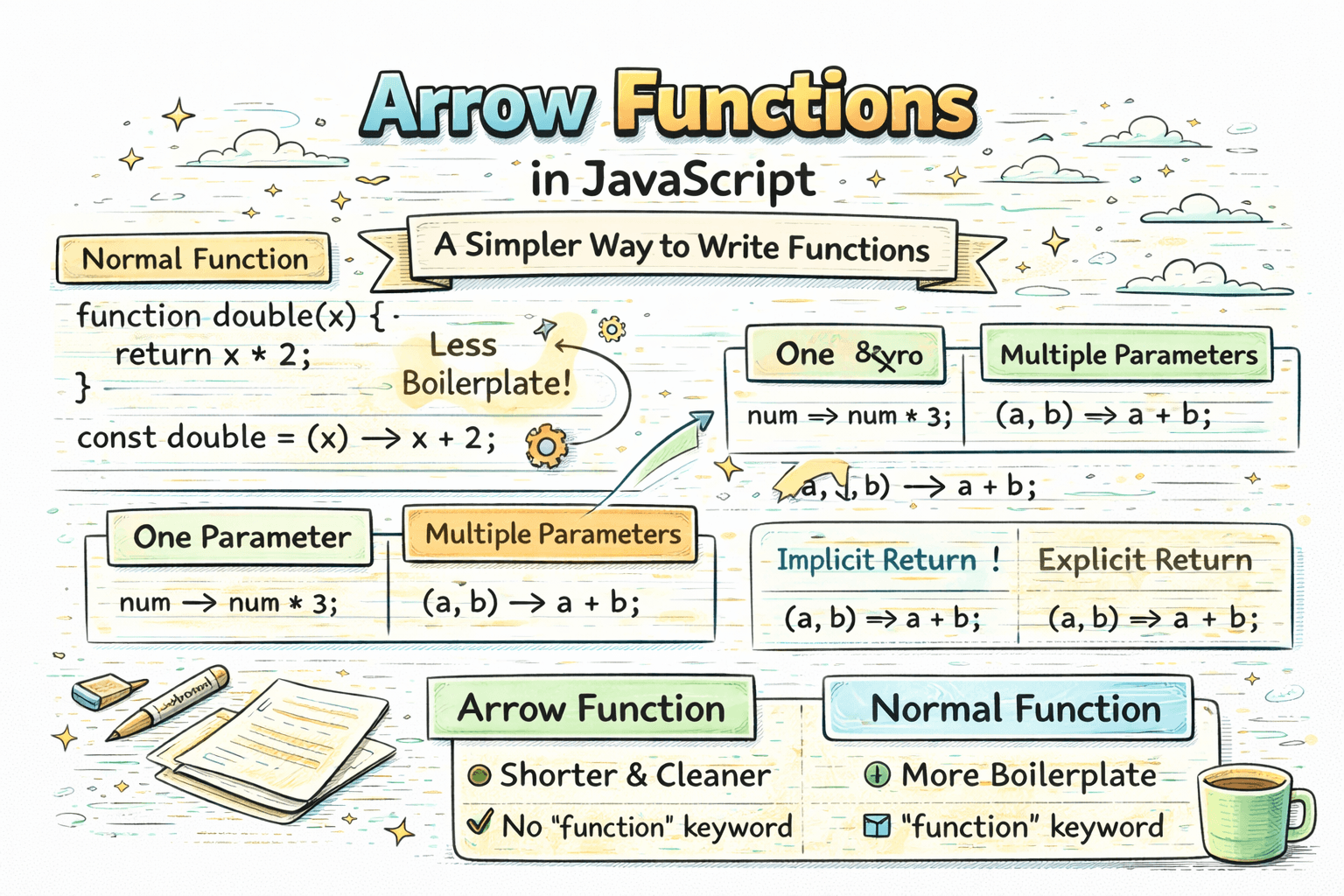
When you start writing JavaScript, one of the first things you learn is how to create functions. A function helps you group code and reuse it whenever needed. But in modern JavaScript, there is a shorter and cleaner way to write many functions. That shorter form is called an arrow function.
Arrow functions are popular because they reduce boilerplate and often make small functions easier to read.
What Are Arrow Functions?
Arrow functions are a shorter way to write function expressions in JavaScript.
Here is a normal function:
function greet(name) {
  return "Hello " + name;
}
Here is the same logic using an arrow function:
const greet = (name) => "Hello " + name;
Both functions do the same thing. The arrow function just uses a shorter syntax.
Why Arrow Functions Feel Simpler
Arrow functions remove some of the extra words used in normal functions.
For example, compare these:
Normal function
function add(a, b) {
  return a + b;
}
Arrow function
const add = (a, b) => {
  return a + b;
};
The second version is often preferred in modern JavaScript, especially when the function is small.
Basic Arrow Function Syntax
The general syntax looks like this:
const functionName = (parameters) => {
  return value;
};
You will usually see three parts:
- a variable name that stores the function
- parameters inside parentheses
- an arrow
=>
Example:
const sayHello = () => {
  console.log("Hello");
};
This function takes no parameters and prints a message.
Arrow Functions With One Parameter
If an arrow function has only one parameter, the parentheses are optional.
const greet = name => {
  return "Hello " + name;
};
This also works:
const greet = (name) => {
  return "Hello " + name;
};
Both are correct. Some developers still keep the parentheses for consistency, but beginners should know that JavaScript allows both styles.
Arrow Functions With Multiple Parameters
If there are two or more parameters, parentheses are required.
const add = (a, b) => {
  return a + b;
};
Another example:
const introduce = (name, city) => {
  return name + " lives in " + city;
};
So the simple rule is:
- one parameter: parentheses are optional
- multiple parameters: parentheses are required
Explicit Return
When you use curly braces {}, you need to write return yourself. This is called explicit return.
const multiply = (a, b) => {
  return a * b;
};
This is clear and useful when the function has more than one line.
Example:
const checkAge = (age) => {
  if (age >= 18) {
    return "Adult";
  }

  return "Minor";
};
Because there are multiple lines, explicit return makes sense here.
Implicit Return
If the function has only one expression, you can skip the curly braces and return. JavaScript returns the value automatically. This is called implicit return.
const multiply = (a, b) => a * b;
This is the short version of:
const multiply = (a, b) => {
  return a * b;
};
Another example:
const greet = name => "Hello " + name;
This works because the function returns a single expression.
A simple way to remember it:
- with
{}you usually writereturn - without
{}JavaScript returns the expression automatically
Converting Normal Functions Into Arrow Functions
Here are a few simple conversions.
Example 1: greeting
function greet(name) {
  return "Hello " + name;
}
Arrow version:
const greet = name => "Hello " + name;
Example 2: adding numbers
function add(a, b) {
  return a + b;
}
Arrow version:
const add = (a, b) => a + b;
Example 3: checking a value
function isPositive(number) {
  return number > 0;
}
Arrow version:
const isPositive = number => number > 0;
These examples show why arrow functions feel modern and compact.
Basic Difference Between Arrow Function and Normal Function
At a beginner level, the most practical difference is syntax.
Normal function:
function subtract(a, b) {
  return a - b;
}
Arrow function:
const subtract = (a, b) => a - b;
Arrow functions are shorter and often easier to read for small tasks.
But syntax is not the only difference. Another important difference is how arrow functions handle this.
Arrow Functions and this
In JavaScript, this usually refers to the object that is calling a function.
A normal function can get its own this depending on how it is called.
An arrow function does not create its own this. Instead, it takes this from the surrounding place where it was written.
That may sound abstract, so let us keep it simple.
Normal function as an object method
const user = {
  name: "Aman",
  greet: function () {
    console.log(this.name);
  },
};

user.greet(); // Aman
Here, this.name works because the function is being called from the user object.
Arrow function as an object method
const user = {
  name: "Aman",
  greet: () => {
    console.log(this.name);
  },
};

user.greet();
This does not behave the same way. The arrow function does not get this from user, so beginners often get unexpected output here.
So a simple beginner rule is:
- use arrow functions for short helper functions and callbacks
- be careful using arrow functions as object methods when you expect
thisto point to the object
So now the main idea is:
- normal functions use the traditional
functionkeyword - arrow functions give you a shorter modern style
- arrow functions also handle
thisdifferently
When Arrow Functions Are Nice To Use
Arrow functions are especially useful for:
- short helper functions
- simple math operations
- quick greetings or text formatting
- modern JavaScript code where readability matters
Examples:
const square = number => number * number;
const welcome = name => "Welcome " + name;
const isEven = number => number % 2 === 0;
These are short, readable, and easy to understand.
When To Be Careful
Arrow functions are great, but not every function needs to be written this way.
If the function becomes too long, the shorter syntax may stop feeling clear. In that case, a normal function or a multiline arrow function with explicit return may be easier to read.
For example:
const getMessage = (marks) => {
  if (marks >= 90) {
    return "Excellent";
  }

  if (marks >= 50) {
    return "Passed";
  }

  return "Try again";
};
This is still an arrow function, but it uses the longer block style because the logic needs more than one line.
Common Beginner Mistakes
- forgetting
returnwhen using curly braces - forgetting parentheses for multiple parameters
- trying to use implicit return with too much logic
Example mistake:
const add = (a, b) => {
  a + b;
};
This does not return the result because return is missing.
Correct version:
const add = (a, b) => {
  return a + b;
};
Or shorter:
const add = (a, b) => a + b;
Conclusion
Arrow functions are a simpler and cleaner way to write many functions in JavaScript. They reduce boilerplate, work well for short reusable logic, and are widely used in modern JavaScript code. Once you understand the basic syntax, one parameter versus multiple parameters, and implicit versus explicit return, arrow functions become very easy to read and write.