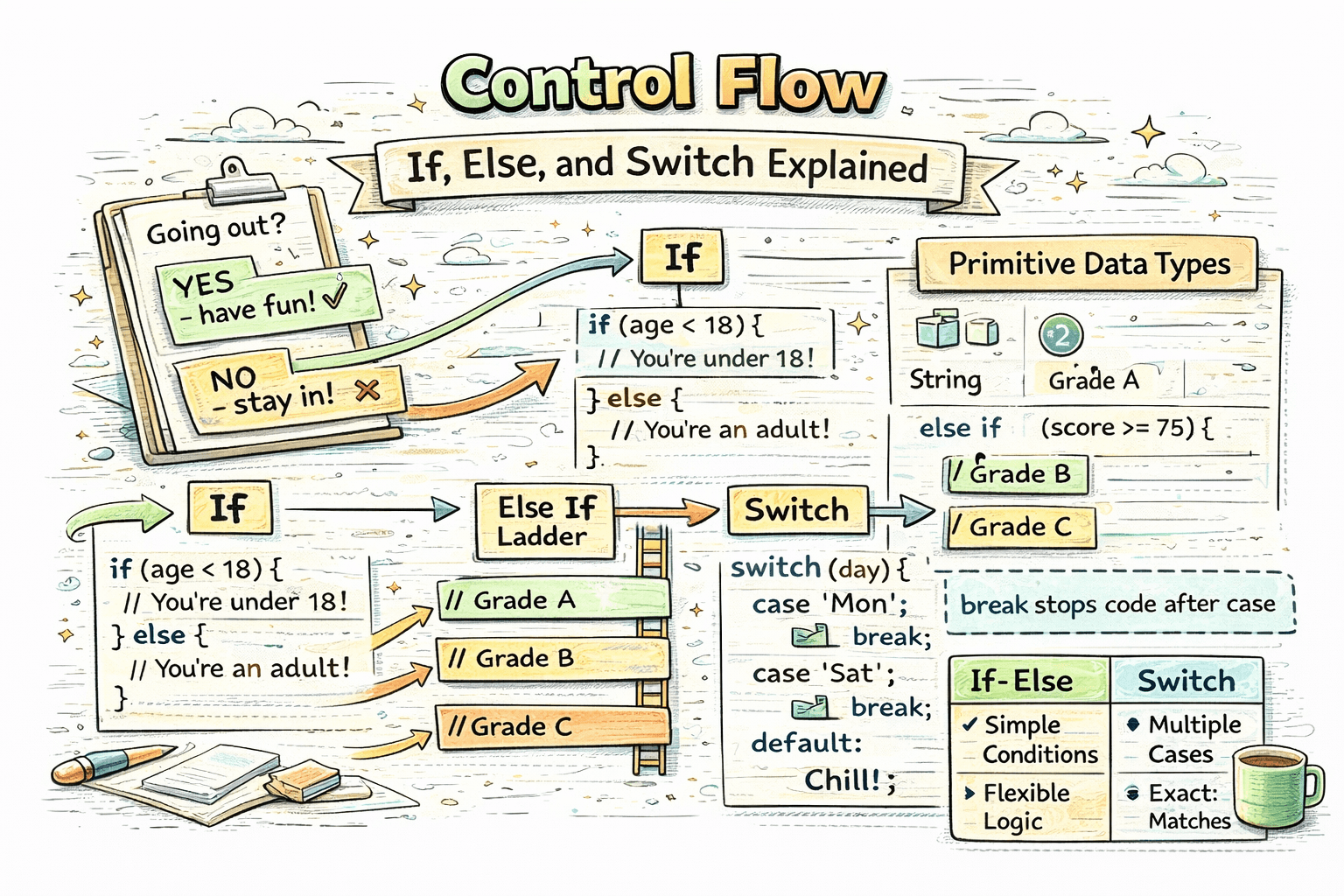
Every day, we make decisions based on conditions.
For example:
- if it is raining, take an umbrella
- if you are 18 or older, you can vote
- if marks are above 90, give grade A
Programming works in a similar way. A program often needs to decide what should happen next based on some condition. This is called control flow.
What Control Flow Means in Programming
Control flow is the order in which code runs.
Sometimes code runs from top to bottom without any change. But many times, a program needs to choose between different paths.
For example:
- if a user enters the correct password, log them in
- else, show an error message
That decision-making is control flow.
The if Statement
The if statement runs a block of code only when a condition is true.
let age = 20;

if (age >= 18) {
  console.log("You can vote.");
}
How this runs:
- JavaScript checks the condition
age >= 18 - if it is
true, the code inside the block runs - if it is
false, the block is skipped
In this example, age is 20, so the message is printed.
Here is another simple example:
let marks = 85;

if (marks > 50) {
  console.log("You passed.");
}
The if-else Statement
The if-else statement is used when you want one block to run if the condition is true, and another block to run if the condition is false.
let age = 16;

if (age >= 18) {
  console.log("You can vote.");
} else {
  console.log("You cannot vote yet.");
}
How this runs:
- JavaScript checks
age >= 18 - if true, it runs the
ifblock - otherwise, it runs the
elseblock
This is useful when there are only two possible outcomes.
The else if Ladder
Sometimes you need more than two choices. That is where else if helps.
let marks = 78;

if (marks >= 90) {
  console.log("Grade A");
} else if (marks >= 75) {
  console.log("Grade B");
} else if (marks >= 50) {
  console.log("Grade C");
} else {
  console.log("Fail");
}
How this runs step by step:
- first, JavaScript checks
marks >= 90 - if that is false, it checks
marks >= 75 - if that is also false, it checks
marks >= 50 - if none of them are true, it runs the
elseblock
Important: JavaScript stops checking as soon as it finds the first true condition.
In this example:
78 >= 90is false78 >= 75is true- so it prints
Grade B - after that, it stops
The switch Statement
The switch statement is useful when you want to compare one value against many fixed options.
For example, imagine checking the day of the week:
let day = "Monday";

switch (day) {
  case "Monday":
    console.log("Start of the week");
    break;
  case "Friday":
    console.log("Almost weekend");
    break;
  case "Sunday":
    console.log("Holiday");
    break;
  default:
    console.log("Normal day");
}
How this runs:
- JavaScript takes the value of
day - it compares that value with each
case - if a match is found, that block runs
breakstops the switch after the matching case
In this example, day is "Monday", so it prints:
Start of the week
Why break Is Important in switch
The break statement stops the switch after a matching case runs.
Without break, JavaScript continues running the next cases too. This is called fall-through.
Example without break:
let day = "Monday";

switch (day) {
  case "Monday":
    console.log("Start of the week");
  case "Friday":
    console.log("Almost weekend");
  default:
    console.log("Normal day");
}
Output:
Start of the week
Almost weekend
Normal day
This happens because there is no break after "Monday".
So for beginners, a safe rule is:
- use
breakafter each case unless you specifically want fall-through
When To Use switch vs if-else
Both are used for decision-making, but they fit different situations.
Use if-else when:
- conditions are based on ranges
- conditions use comparison operators like
>,<,>= - logic is more flexible
Example:
let age = 20;

if (age >= 18) {
  console.log("Adult");
} else {
  console.log("Minor");
}
Use switch when:
- you are checking one value against many exact matches
- the code becomes easier to read with separate cases
Example:
let role = "admin";

switch (role) {
  case "admin":
    console.log("Full access");
    break;
  case "editor":
    console.log("Edit access");
    break;
  case "viewer":
    console.log("Read only access");
    break;
  default:
    console.log("Unknown role");
}
A Simple Comparison
Here is the same kind of problem solved in two styles.
Using if-else
let color = "red";

if (color === "red") {
  console.log("Stop");
} else if (color === "yellow") {
  console.log("Wait");
} else if (color === "green") {
  console.log("Go");
} else {
  console.log("Invalid color");
}
Using switch
let color = "red";

switch (color) {
  case "red":
    console.log("Stop");
    break;
  case "yellow":
    console.log("Wait");
    break;
  case "green":
    console.log("Go");
    break;
  default:
    console.log("Invalid color");
}
In this case, switch is a bit cleaner because one value is being matched against fixed options.
Common Beginner Mistakes
- forgetting curly braces for blocks
- writing conditions in the wrong order in
else if - forgetting
breakinswitch - using
switchwhen the logic depends on ranges
For example, this order is wrong:
let marks = 95;

if (marks >= 50) {
  console.log("Grade C");
} else if (marks >= 75) {
  console.log("Grade B");
} else if (marks >= 90) {
  console.log("Grade A");
}
Why is it wrong?
95 >= 50is already true- so JavaScript prints
Grade C - the better conditions below never run
So always place more specific or higher conditions first.
Conclusion
Control flow is how JavaScript decides which code should run and when. The if statement is good for a single condition, if-else handles two outcomes, else if helps with multiple conditions, and switch is useful when comparing one value against many exact options. Once you understand these basics, your code starts becoming much more practical because it can make decisions instead of only running line by line.