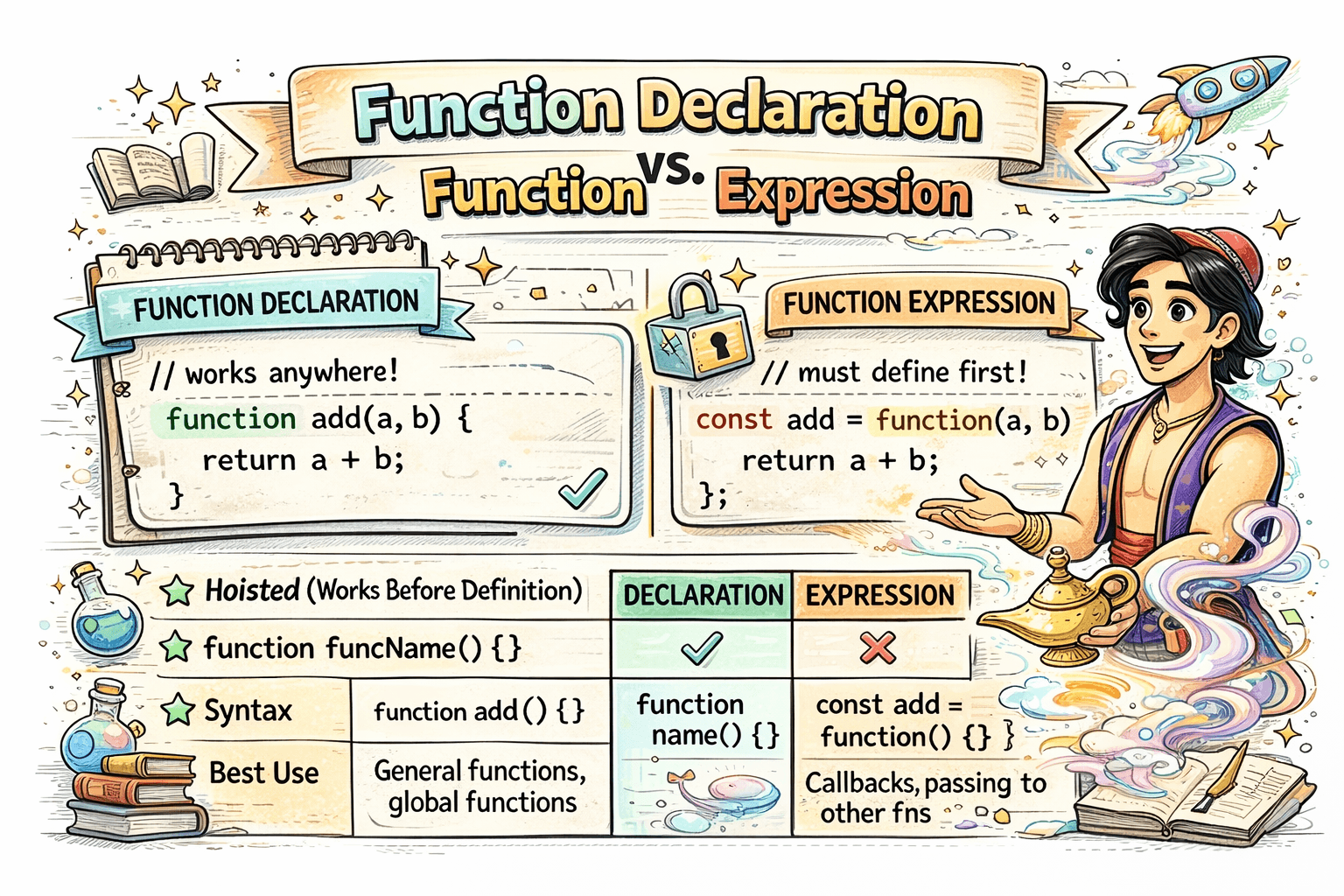
Functions are one of the most important building blocks in JavaScript. There are a few common ways to create them. This article focuses on four that you will see most often: function declarations, function expressions, arrow functions, and async functions. We will compare how they look, how they behave, and when to use each one.
1. Function Declarations
A function declaration defines a named function and makes it available before the code runs.
function add(a, b) {
  return a + b;
}

console.log(add(2, 3)); // 5
Key point: declarations are hoisted, so you can call them before their definition in the file.
2. Function Expressions
A function expression creates a function and assigns it to a variable. The function can be named or anonymous, but the variable is what you use to call it.
const add = function (a, b) {
  return a + b;
};

console.log(add(2, 3)); // 5
Key point: only the variable is hoisted, not the function body. Calling it before the assignment fails.
Named vs Anonymous Expressions
Function expressions can be anonymous or named. A named expression can help with debugging.
const greet = function greetUser(name) {
  return `Hi, ${name}`;
};
3. Arrow Functions
Arrow functions are a shorter way to write function expressions. They also handle this differently, which can be useful in callbacks.
const add = (a, b) => {
  return a + b;
};
If the body is a single expression, you can shorten it even more.
const add = (a, b) => a + b;
Key point: arrow functions do not have their own this. They use this from the surrounding scope.
7. Async Functions
Async functions let you write asynchronous code that looks synchronous. They always return a promise.
Async Function Declaration
async function fetchUser() {
  const res = await fetch("/api/user");
  return res.json();
}
Async Function Expression
const fetchUser = async function () {
  const res = await fetch("/api/user");
  return res.json();
};
Async Arrow Function
const fetchUser = async () => {
  const res = await fetch("/api/user");
  return res.json();
};
Key point: await can only be used inside an async function, and the return value is wrapped in a promise.
Hoisting Behavior
This is the biggest practical difference between declarations and expressions.
Declaration Hoisting
sayHello(); // Works

function sayHello() {
  console.log("Hello");
}
Expression Hoisting
sayHello(); // Error

const sayHello = function () {
  console.log("Hello");
};
Why does this happen? The variable sayHello exists, but it is not initialized yet, so calling it before assignment fails.
Quick Comparison Table
| Feature | Function Declaration | Function Expression | Arrow Function | Async Function |
|---|---|---|---|---|
| Syntax | function name() {} | const name = function () {} | const name = () => {} | async function name() {} |
| Hoisting | Yes, fully | No, variable only | No, variable only | Yes, if declared |
Has its own this | Yes | Yes | No | Depends on form |
| Common usage | Shared helpers | Callbacks, inline logic | Short callbacks | Async work |
When To Use Which
- Use a function declaration when you want it available anywhere in the file.
- Use a function expression when you want to define it close to where it is used.
- Use an arrow function for short callbacks and when you want
thisfrom the outer scope. - Use an async function when you need
awaitand promises.
Common Mistakes
- Calling a function expression or arrow function before it is defined
- Forgetting that arrow functions do not bind their own
this - Using
awaitoutside an async function
Conclusion
Function declarations, expressions, arrow functions, and async functions are the most used ways to create functions in JavaScript. Each has a clear role. Once you understand hoisting and this, choosing the right one becomes easy.