Introduction
When you type a URL into your web browser and hit Enter, a complex series of events unfolds behind the scenes to bring that webpage to life on your screen. While it may seem like magic, understanding how a browser works can demystify this process and give you a deeper appreciation for the technology we use every day. In this beginner-friendly guide, we will explore the inner workings of web browsers, breaking down the key components and processes involved in rendering a webpage.
What is a Browser?
A web browser is a software application that allows users to access, retrieve, and display content from the internet. Beyond simply opening websites, browsers are sophisticated tools that manage various tasks, including fetching resources, interpreting code, and rendering visual content. Popular browsers include Google Chrome, Mozilla Firefox, Safari, and Microsoft Edge.
Main Parts of a Browser
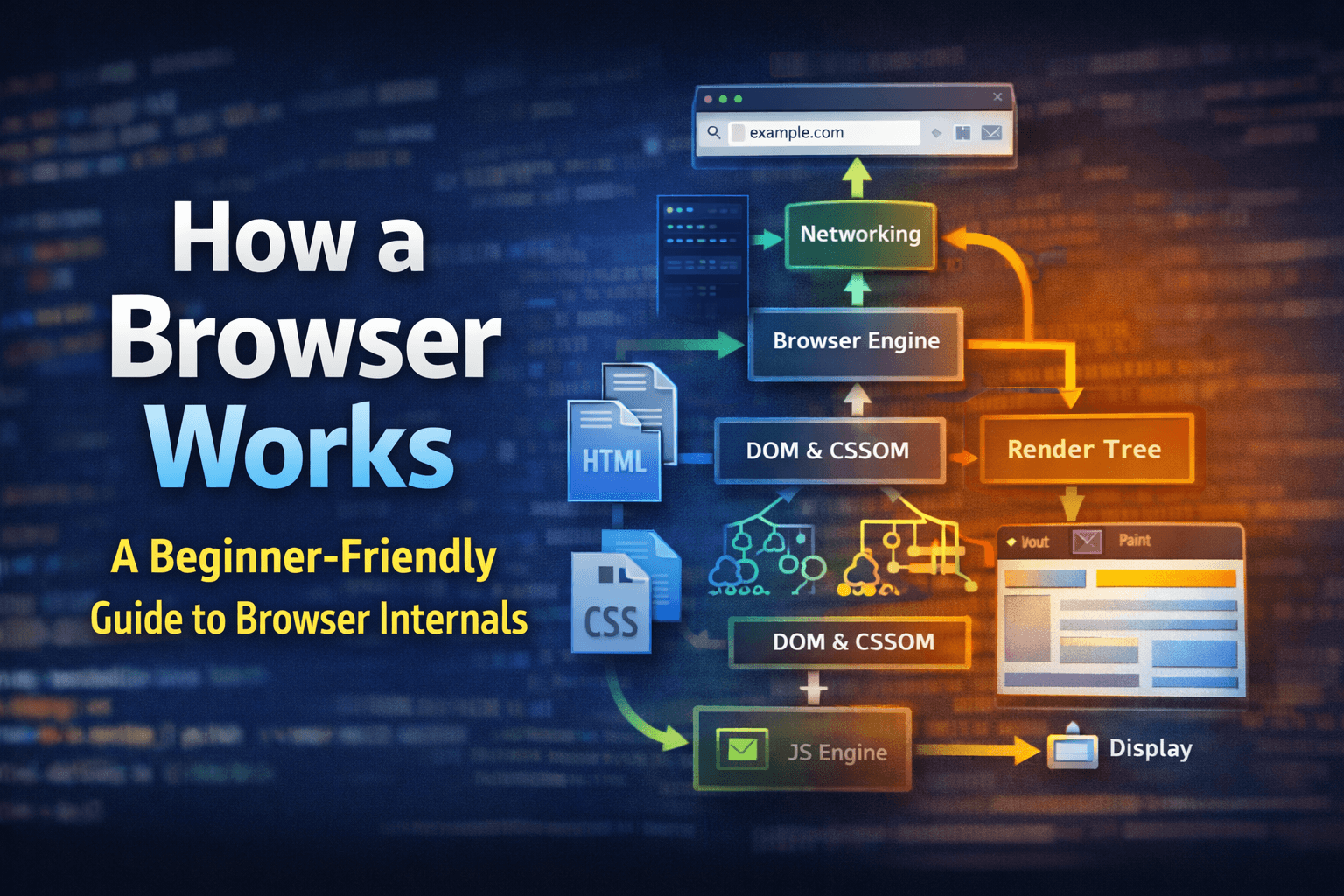
At a high level, a web browser consists of several key components that work together to deliver a seamless browsing experience:
- User Interface (UI): This is what you interact with directly, including the address bar, tabs, buttons, and menus.
- Browser Engine: This component acts as a bridge between the UI and the rendering engine, managing the flow of data and commands.
- Rendering Engine: Responsible for displaying the content on your screen, the rendering engine interprets HTML, CSS, and JavaScript to create the visual representation of a webpage.
- Networking: This module handles the communication between the browser and web servers, fetching resources like HTML files, images, and scripts.
- JavaScript Engine: This component executes JavaScript code, enabling dynamic content and interactivity on webpages.
The Browsing Process: From URL to Display
When you enter a URL and press Enter, the browser initiates a series of steps to fetch and display the requested webpage:
- Networking: The browser sends an HTTP request to the web server hosting the webpage. The server responds with the HTML content of the page.
- HTML Parsing and DOM Creation: The rendering engine begins parsing the HTML document, creating a Document Object Model (DOM) tree that represents the structure of the webpage.
- CSS Parsing and CSSOM Creation: Simultaneously, the browser fetches and parses any linked CSS files, building a CSS Object Model (CSSOM) that defines the styles for the webpage.
- Constructing the Render Tree: The browser combines the DOM and CSSOM to create a render tree, which contains only the elements that need to be displayed, along with their computed styles.
- Layout (Reflow): The browser calculates the exact position and size of each element in the render tree, determining how they will be arranged on the screen.
- Painting: The browser fills in the pixels for each element based on the layout calculations, applying colors, images, and text.
- Display: Finally, the painted content is displayed on your screen, allowing you to view and interact with the webpage.
Conclusion
Understanding how a web browser works provides valuable insights into the complex processes that occur every time you visit a website. From fetching resources to rendering content, browsers are intricate systems that bring the web to life. By grasping these fundamental concepts, beginners can build a solid foundation for further exploration in web development and technology.
Further Reading
- How Browsers Work: Behind the Scenes of Modern Web Browsers
- MDN Web Docs: Introduction to Web Browsers
Happy learning!