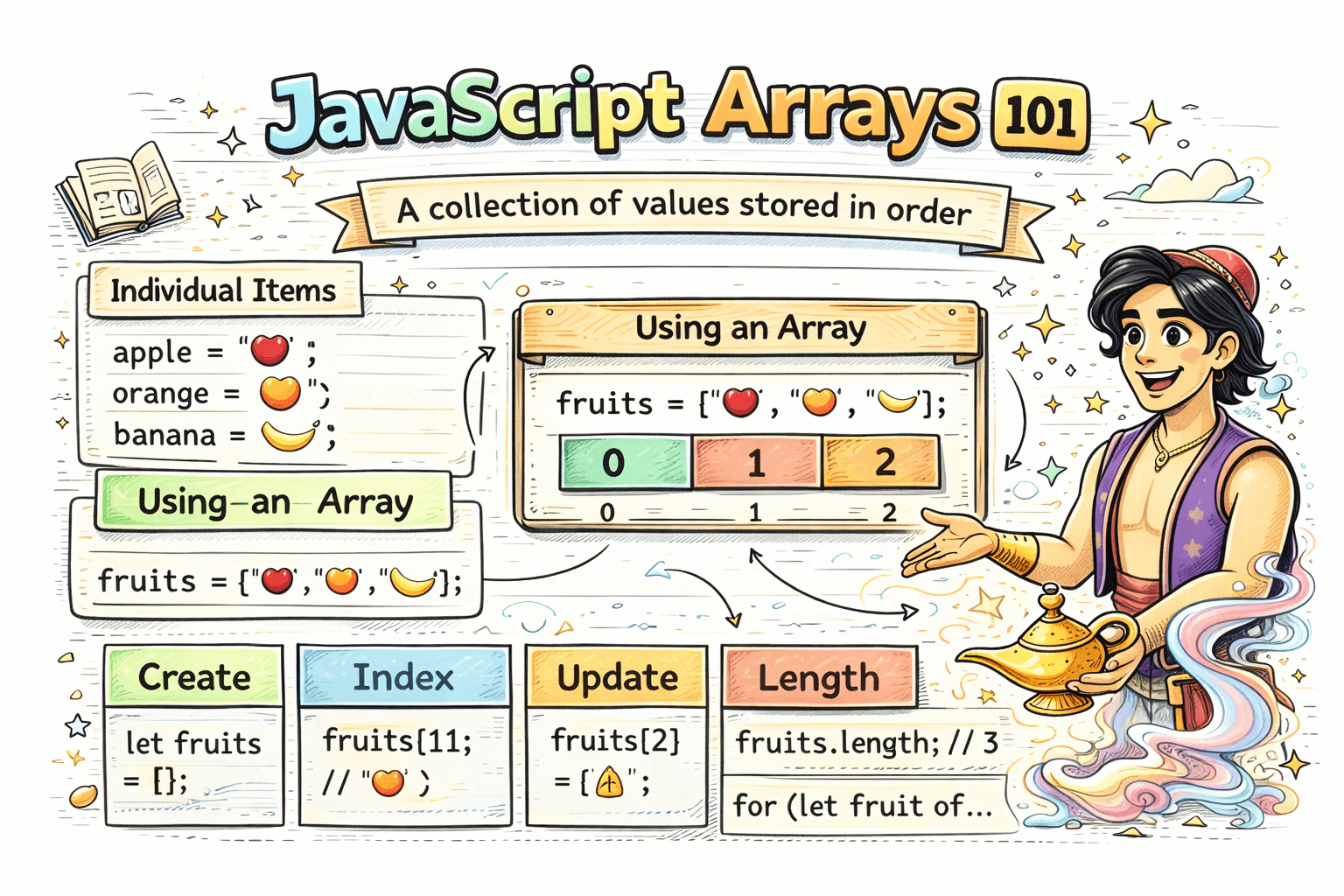
Imagine you are building a small app that stores fruit names:
let fruit1 = "apple";
let fruit2 = "banana";
let fruit3 = "mango";
This works for a very small list, but it quickly becomes hard to manage. If you have 10 fruits, 50 marks, or 100 tasks, writing separate variables for each value is messy. This is where arrays help.
What Are Arrays?
An array is a collection of values stored in order. It lets you keep related data together in a single place.
You can think of an array like a row of boxes. Each box holds one value, and every box has a position number called an index.
For example:
let fruits = ["apple", "banana", "mango"];
Here, fruits is one array that stores three values.
Why Do We Need Arrays?
Arrays are useful when you want to store multiple related values together.
For example:
- A list of fruits
- Marks of a student
- Names of tasks in a to do app
- Prices of products
Without an array:
let mark1 = 78;
let mark2 = 85;
let mark3 = 92;
With an array:
let marks = [78, 85, 92];
The second version is cleaner and easier to work with.
How To Create an Array
You create an array using square brackets [].
let fruits = ["apple", "banana", "mango"];
Arrays can store numbers too:
let marks = [78, 85, 92];
They can also store mixed values, but in beginner code it is usually better to keep similar values together.
let mixed = ["apple", 10, true];
Accessing Elements Using Index
Each value in an array has an index.
Important: array indexing starts from 0.
So in this array:
let fruits = ["apple", "banana", "mango"];
The positions are:
appleis at index0bananais at index1mangois at index2
You access a value like this:
let fruits = ["apple", "banana", "mango"];

console.log(fruits[0]); // apple
console.log(fruits[1]); // banana
console.log(fruits[2]); // mango
This 0 based indexing is one of the first things beginners need to remember.
Updating Elements
You can change a value in an array by using its index.
let fruits = ["apple", "banana", "mango"];

fruits[1] = "orange";

console.log(fruits); // ["apple", "orange", "mango"]
Here, the value at index 1 was updated from "banana" to "orange".
The length Property
JavaScript arrays have a length property. It tells you how many values are inside the array.
let fruits = ["apple", "banana", "mango"];

console.log(fruits.length); // 3
This is helpful when you want to know the size of the array or loop through all values.
Basic Looping Over Arrays
Arrays are often used with loops because loops help you work with every element one by one.
Using a for Loop
let fruits = ["apple", "banana", "mango"];

for (let i = 0; i < fruits.length; i++) {
  console.log(fruits[i]);
}
This prints:
apple
banana
mango
In this loop:
istarts from0i < fruits.lengthkeeps the loop inside the array sizefruits[i]gives the current value
Using a for...of Loop
If you want a simpler way to read values, you can use for...of.
let fruits = ["apple", "banana", "mango"];

for (let fruit of fruits) {
  console.log(fruit);
}
This is easier to read when you only need the values.
A Simple Real World Example
Suppose you want to store a student's marks:
let marks = [75, 82, 91, 68];

console.log(marks[0]); // 75
console.log(marks.length); // 4
You can also update a mark:
marks[3] = 72;

console.log(marks); // [75, 82, 91, 72]
And you can loop through all marks:
for (let mark of marks) {
  console.log(mark);
}
Common Beginner Mistakes
- Forgetting that indexing starts from
0 - Trying to access a position that does not exist
- Confusing the index with the value
Example:
let fruits = ["apple", "banana", "mango"];

console.log(fruits[3]); // undefined
Why? Because the last valid index here is 2.
Conclusion
Arrays are one of the most useful parts of JavaScript. They help you store multiple values in order, access them with indexes, update them, check their length, and loop through them easily. Once you are comfortable with arrays, writing cleaner and more practical JavaScript becomes much easier.