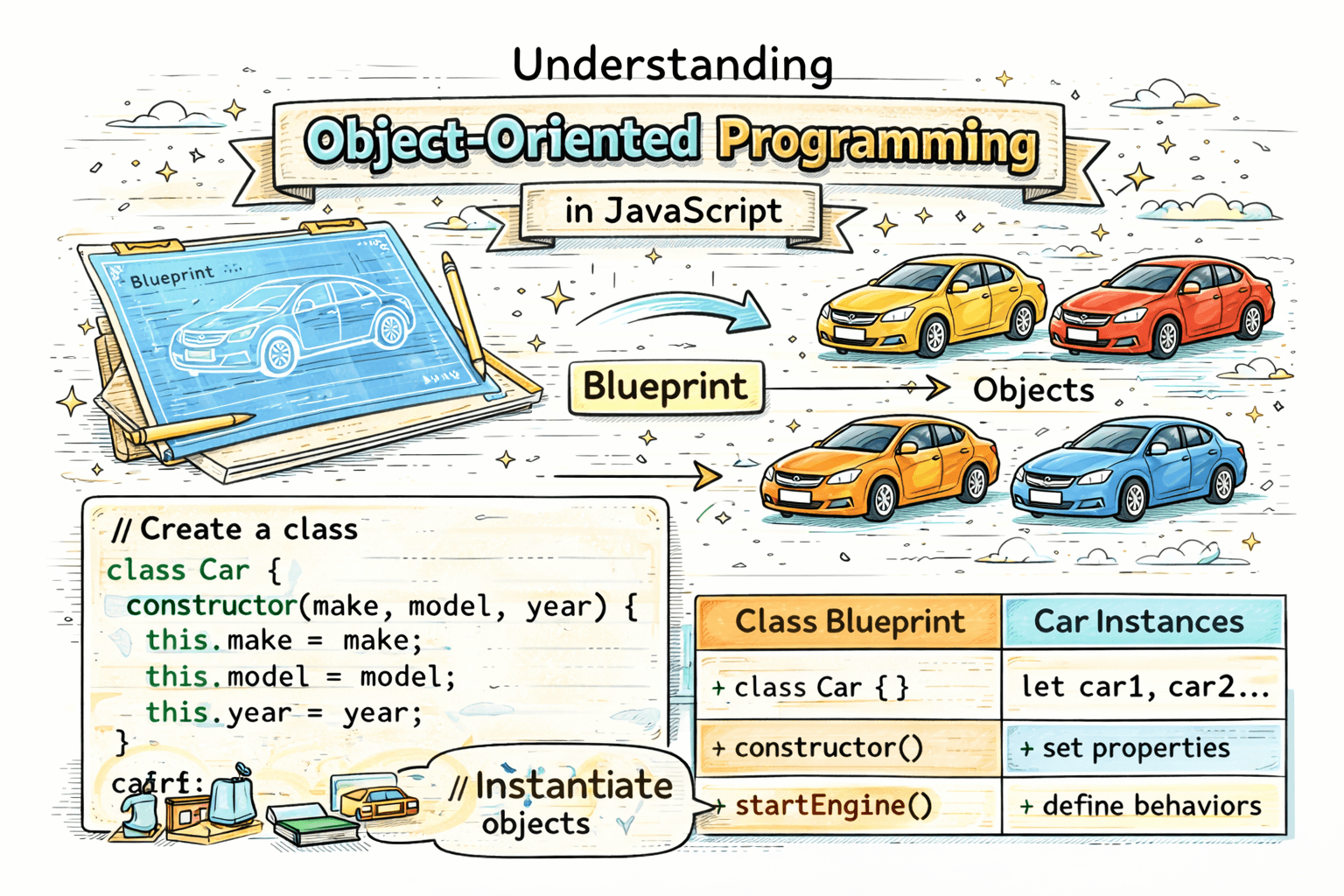
When people first hear Object-Oriented Programming, it often sounds more difficult than it really is. The basic idea is simple. OOP is a way of organizing code by creating objects that represent real things. These objects can store data and also perform actions.
A good way to understand this is with a real-world example.
Blueprint and Objects
Think about a car blueprint. A blueprint is not an actual car. It is just a plan that defines what a car should have, such as:
- brand
- color
- speed
From one blueprint, you can create many actual cars.
In programming, the blueprint is called a class, and the actual cars are called objects.
This is one of the biggest reasons OOP is useful. You write the structure once and create many objects from it.
What Object-Oriented Programming Means
Object-Oriented Programming, or OOP, is a programming style where you organize code around objects.
An object can contain:
- properties, which store data
- methods, which define actions
For example, a Car object may have:
brandcolorstart()drive()
This makes code easier to understand and reuse, especially when many things share the same structure.
What Is a Class in JavaScript?
A class in JavaScript is a template for creating objects.
Here is a simple class:
class Car {
  constructor(brand, color) {
    this.brand = brand;
    this.color = color;
  }
}
This class defines what every Car object should have: a brand and a color.
Creating Objects Using Classes
Once you have a class, you can create objects from it using the new keyword.
class Car {
  constructor(brand, color) {
    this.brand = brand;
    this.color = color;
  }
}

let car1 = new Car("Toyota", "Black");
let car2 = new Car("Honda", "White");

console.log(car1.brand); // Toyota
console.log(car2.color); // White
Here:
car1andcar2are objects- both are created from the same
Carclass - each object has its own values
This is code reusability in action. One class can create many objects.
The Constructor Method
The constructor is a special method inside a class. It runs automatically when a new object is created.
Its job is usually to set up the initial values of the object.
class Person {
  constructor(name, age) {
    this.name = name;
    this.age = age;
  }
}

let person1 = new Person("Aman", 21);

console.log(person1.name); // Aman
console.log(person1.age); // 21
In this example:
nameandageare passed when the object is createdthis.nameandthis.agestore those values inside the object
Methods Inside a Class
Classes can also have methods. Methods are functions inside a class that describe what an object can do.
class Person {
  constructor(name, age) {
    this.name = name;
    this.age = age;
  }

  introduce() {
    console.log(`My name is ${this.name} and I am ${this.age} years old.`);
  }
}

let person1 = new Person("Aman", 21);
person1.introduce();
Output:
My name is Aman and I am 21 years old.
Here, introduce() is a method. It uses the object's own data through this.
A Simple Example
Let us take a more relatable example.
class Student {
  constructor(name, age) {
    this.name = name;
    this.age = age;
  }

  showDetails() {
    console.log(`Student name: ${this.name}, Age: ${this.age}`);
  }
}

let student1 = new Student("Riya", 19);
let student2 = new Student("Karan", 20);

student1.showDetails();
student2.showDetails();
This shows how one class can be reused to create multiple student objects without rewriting the same code again and again.
Basic Idea of Encapsulation
Encapsulation means keeping related data and behavior together inside one unit, usually an object.
For example, in the Student class:
nameandageare related datashowDetails()is behavior related to that data
class Student {
  constructor(name, age) {
    this.name = name;
    this.age = age;
  }

  showDetails() {
    console.log(`${this.name} is ${this.age} years old.`);
  }
}
Instead of keeping student data in one place and student functions in another place, OOP keeps them together. That makes code more organized and easier to manage.
At a beginner level, this is enough to understand encapsulation. The main point is that data and actions that belong together stay together.
Why OOP Is Useful
OOP is helpful because it:
- improves code reusability
- keeps code organized
- makes it easier to model real-world things
- helps when creating multiple similar objects
If you need many students, cars, or users in a program, classes save time and reduce repeated code.
Assignment Idea
Try this on your own:
- Create a class called
Student - Add properties like
nameandage - Add a method that prints student details
- Create multiple student objects
Here is a sample solution:
class Student {
  constructor(name, age) {
    this.name = name;
    this.age = age;
  }

  printDetails() {
    console.log(`Name: ${this.name}, Age: ${this.age}`);
  }
}

let student1 = new Student("Neha", 18);
let student2 = new Student("Rahul", 20);
let student3 = new Student("Sneha", 19);

student1.printDetails();
student2.printDetails();
student3.printDetails();
Conclusion
Object-Oriented Programming in JavaScript is about using classes and objects to organize code in a cleaner way. A class works like a blueprint, objects are created from that blueprint, the constructor sets initial values, and methods define behavior. Once you understand this basic structure, writing reusable and organized code becomes much easier.