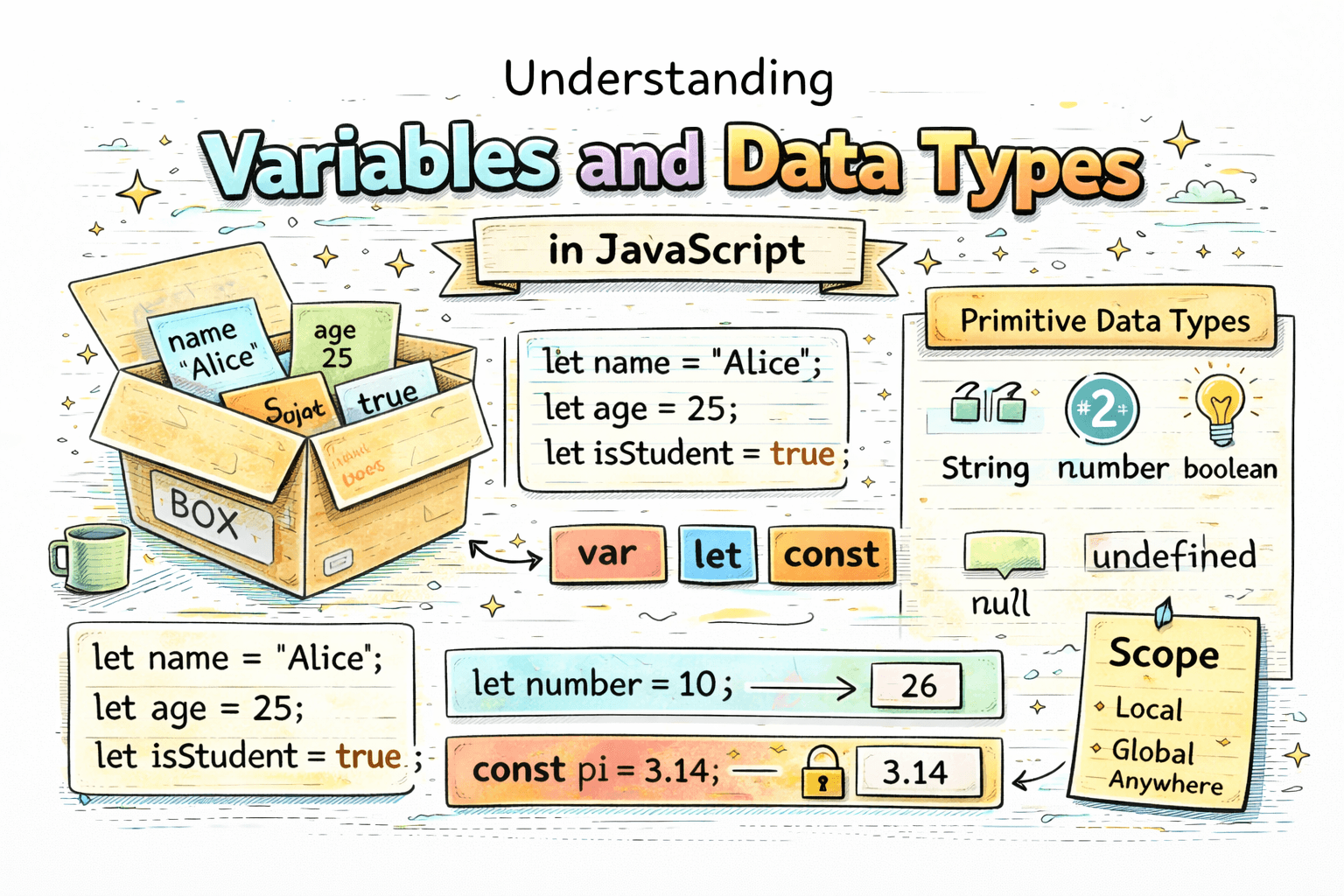
When you write JavaScript, your program is constantly working with information. A user's name, a product price, a login status, or the total marks of a student all need to be stored somewhere. A simple way to understand this is to imagine a variable as a labeled box. You put a value inside the box, and later you can open that box whenever your program needs the value again.
That value could be text, a number, or something like true or false. Without variables, even very small programs would become repetitive and difficult to manage.
What Are Variables?
Variables are containers used to store data in a program.
For example:
let name = "Aman";
Here:
nameis the variable"Aman"is the value stored inside it
Variables are useful because they help us:
- store information
- reuse values later
- update values when needed
Without variables, a program would have no practical way to remember values while it runs.
Why Do We Need Variables?
Suppose you are storing a student's details:
let studentName = "Riya";
let age = 19;
let isPresent = true;
Now your code can use these values whenever needed. That is the key benefit. Instead of hardcoding the same information again and again, you give it a name and reuse it.
Instead of writing:
console.log("Riya");
console.log("Riya");
console.log("Riya");
You can write:
let studentName = "Riya";

console.log(studentName);
console.log(studentName);
console.log(studentName);
That makes code cleaner and easier to update. If the student's name changes, you only update one place.
How To Declare Variables
In JavaScript, variables can be declared using:
varletconst
Using var
var city = "Delhi";
console.log(city);
Using let
let age = 21;
console.log(age);
Using const
const country = "India";
console.log(country);
All three create variables, but they do not behave in exactly the same way. In modern JavaScript, you will mostly use let and const.
Primitive Data Types
JavaScript has different kinds of values. These are called data types. A data type tells JavaScript what kind of value is being stored.
For example:
- a name is usually text, so it is a string
- an age is a number
- a login status is a boolean
In this article, we are focusing on the most common primitive data types.
String
A string is used for text.
let name = "Aman";
Examples of strings:
"Hello""JavaScript""Delhi"
If the value is text, it is usually a string. Names, cities, messages, and email addresses are common examples.
Number
A number is used for numeric values.
let age = 21;
let price = 99.5;
Examples:
102599.99
Both whole numbers and decimal numbers are number in JavaScript. JavaScript does not separate them into different basic types at this level.
Boolean
A boolean stores only two values:
truefalse
let isLoggedIn = true;
let hasPermission = false;
Booleans are often used for yes or no conditions, such as:
- is the user logged in?
- is the answer correct?
- is the form submitted?
Null
null means a value is intentionally empty.
let selectedColor = null;
This means the variable exists, but right now it has no actual value. You are setting it that way on purpose.
Undefined
undefined means a variable has been declared, but no value has been assigned yet.
let marks;
console.log(marks); // undefined
This is different from null. With undefined, JavaScript is telling you that no value has been set yet. With null, you are saying, "I know this exists, but for now it is empty."
Simple Data Type Examples
Here is a practical set of examples:
let name = "Riya";        // string
let age = 19;             // number
let isStudent = true;     // boolean
let phoneNumber = null;   // null
let address;              // undefined
This is how data types appear in normal beginner code.
Difference Between var, let, and const
At a beginner level, the most important difference is how they handle updates and where they can be used.
var
var is the older way to declare variables.
var city = "Delhi";
city = "Mumbai";
The value can be changed. It also behaves differently with scope, which is one reason modern code usually avoids it for beginner-friendly programs.
let
let is used when the value may change later.
let score = 10;
score = 20;
This is common for variables that need updates, like a score, a counter, or a username entered by the user.
const
const is used when the value should not change.
const country = "India";
If you try to change it:
const country = "India";
country = "USA"; // Error
So a simple rule is:
- use
letwhen the value can change - use
constwhen the value should stay the same - avoid
varin most modern beginner code
If you are unsure, start with const. If you later need to change the value, switch it to let.
What Is Scope?
Scope means where a variable can be used in your code.
A simple beginner-friendly way to understand scope is this: scope decides where the box is visible.
For example:
let name = "Aman";

if (true) {
  let age = 21;
  console.log(age); // works
}

console.log(name); // works
console.log(age); // Error
Why does this happen?
nameis available outsideagewas created inside theifblock- so
ageonly exists inside that block
This is block scope, and it is one reason let and const are easier to work with for beginners. They help prevent accidental use of variables in the wrong place.
Here is another quick example:
if (true) {
  const message = "Hello";
  console.log(message); // works
}

// console.log(message); // Error
The variable only belongs to that block.
How Values Can Change
Variables often change while the program runs.
let score = 0;
score = 10;
score = 20;

console.log(score); // 20
But const does not allow reassignment:
const appName = "StudyApp";
// appName = "NotesApp"; // Error
This is why choosing the right variable type matters. Your declaration should match how the value behaves in the program.
Example
Imagine you are storing user information:
const appName = "Student Portal";
let userName = "Karan";
let age = 20;
let isLoggedIn = false;
let email = null;
let phoneNumber;
Here:
appNamestays the same, soconstmakes senseuserNameandagemight change, soletis fineisLoggedInis a booleanemailis intentionally empty, so it isnullphoneNumberhas not been assigned yet, so it isundefined
This is a simple example, but it reflects the same kind of values real applications deal with every day.
Common Beginner Mistakes
- using
constfor a value that needs to change - confusing
nullandundefined - using
vareverywhere without understanding scope - treating all values as if they work the same way
Example:
const score = 10;
score = 20; // Error
If you know the value will change, use let instead.
Another common confusion is this:
let email = null;
let phoneNumber;
These are not the same:
email = nullmeans the value is intentionally emptyphoneNumbermeans no value has been assigned yet
Conclusion
Variables are one of the first building blocks of JavaScript. They give your program a way to remember information, and data types tell JavaScript what kind of information is being stored. Once you are comfortable with let, const, strings, numbers, booleans, null, undefined, and the basic idea of scope, your JavaScript code starts to feel much more logical and readable.